
Prepare Smarter for the PAM-DEF Exam
Build your exam confidence with flexible preparation resources designed around the latest PAM-DEF exam objectives. Practice at your own pace using PDF questions, online exam simulations, or desktop practice software.
Which Cyber Are components or products can be used to discover Windows Services or Scheduled Tasks that use privileged accounts? Select all that apply.
Correct Answer: A, B, E
Discovery and Audit (DMA), Auto Detection (AD), and Accounts Discovery are CyberArk components or products that can be used to discover Windows Services or Scheduled Tasks that use privileged accounts.
Discovery and Audit (DMA) is a tool that scans Windows servers and workstations to identify privileged accounts that are used by Windows Services or Scheduled Tasks. DMA can also generate reports on the usage and risks of these accounts.
Auto Detection (AD) is a feature of the CyberArk Privileged Account Security Solution that automatically detects and onboards privileged accounts that are used by Windows Services or Scheduled Tasks. AD can also monitor and rotate the passwords of these accounts.
Accounts Discovery is a feature of the CyberArk Privileged Account Security Solution that scans the network to discover privileged accounts on various platforms, including Windows. Accounts Discovery can also identify accounts that are used by Windows Services or Scheduled Tasks.
References :
: Discovery and Audit (DMA) User Guide
: Auto Detection Implementation Guide
: Accounts Discovery Implementation Guide
Correct Answer: A
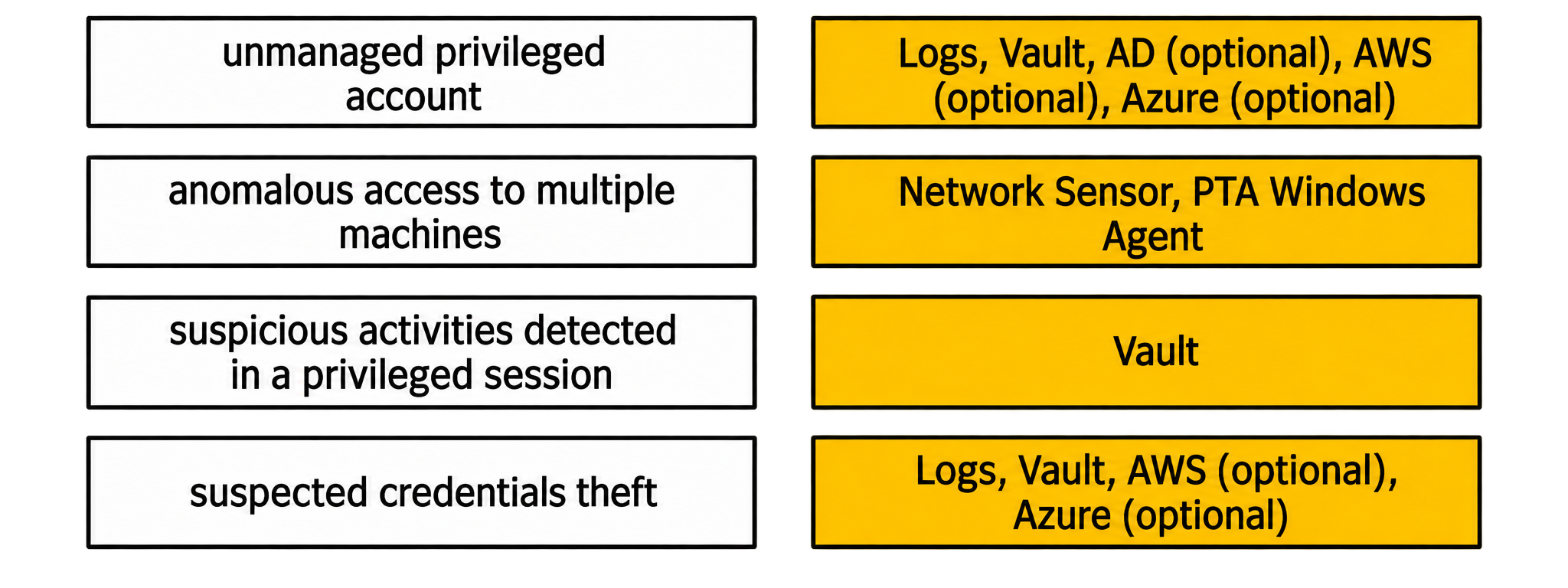
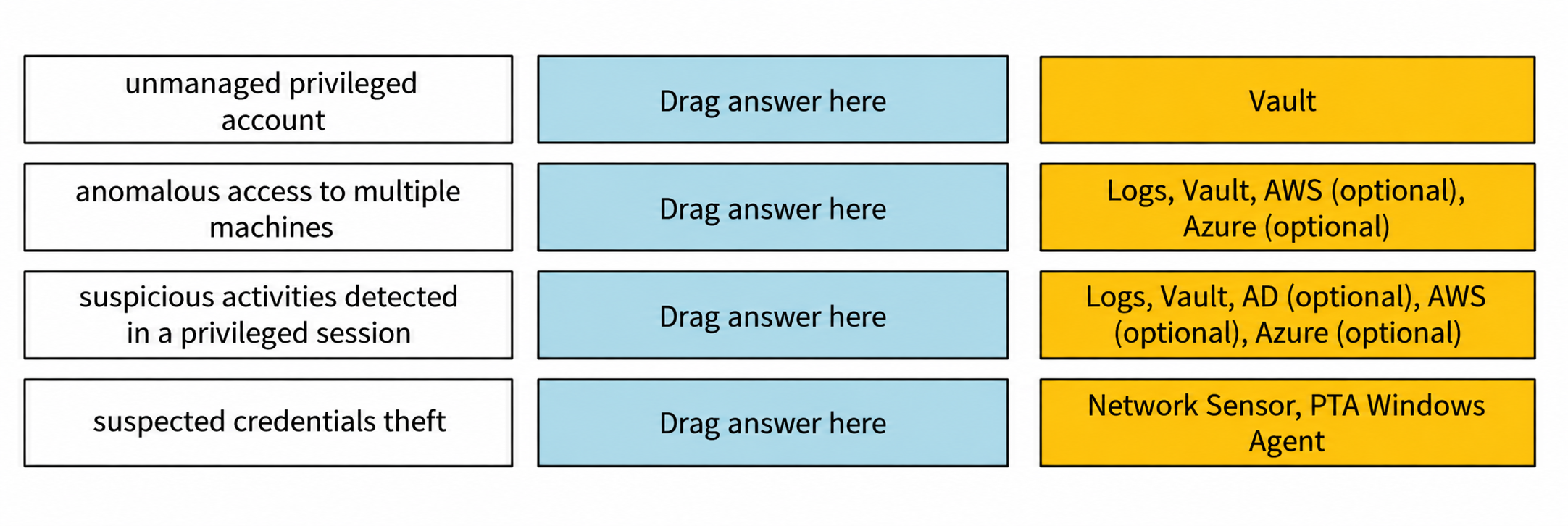
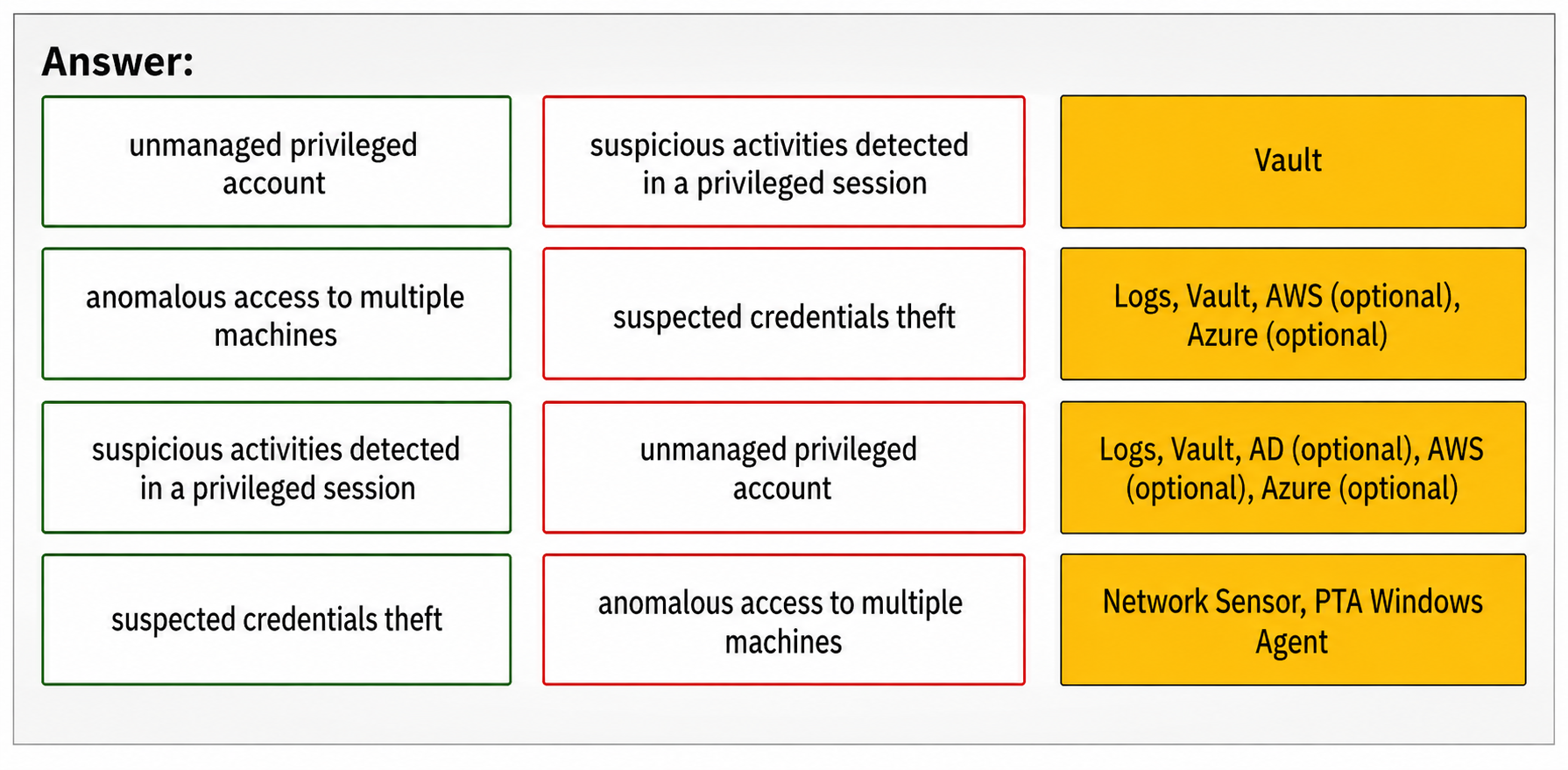
Comprehensive Explanation : The Privileged Threat Analytics (PTA) sensors are designed to collect specific types of data to detect potential security threats. For the alert category of Unmanaged privileged account , the Network Sensor and PTA Windows Agent are responsible for collecting the relevant data. Similarly, for the alert category of Anomalous access to multiple machines , data is collected from Logs , the Vault , and optionally from AWS and Azure . The Suspicious activities detected in a privileged session category relies on data from Logs , the Vault , and optionally from AD , AWS , and Azure . Lastly, the Suspected credentials theft category also utilizes the Network Sensor and PTA Windows Agent for data collection.
References :
CyberArk’s official training materials and documentation provide detailed information on PTA sensors and the types of data they collect for different alert categories.
When running a “Privileged Accounts Inventory” Report through the Reports page in PVWA on a specific safe, which permission/s are required on that safe to show complete account inventory information?
Correct Answer: A
The Privileged Accounts Inventory Report provides information about all the privileged accounts in the system, based on different filters, such as safe, platform, policy, and owner. To run this report through the Reports page in PVWA on a specific safe, the user needs to have the following permissions on that safe:
List Accounts: This permission allows the user to view the accounts in the safe and their properties, such as name, address, platform, and policy.
View Safe Members: This permission allows the user to view the members of the safe and their authorizations, such as owners, users, and groups.
These permissions are required to show complete account inventory information for the specific safe. Other permissions, such as Manage Safe Owners, Access Safe without confirmation, Manage Safe, and View Audit, are not relevant for this report. References : Reports and Audits - CyberArk , Safe Member Authorizations
You have associated a logon account to one your UNIX cool accounts in the vault. When attempting to [b]change [/b] the root account’s password the CPM will…..
Correct Answer: C
When attempting to change the root account’s password, the CPM will log in to the system as the logon account, run the su command to log in as root, and then change root’s password. This is because the logon account is used to initiate sessions to machines that do not permit direct logon, such as Unix systems that restrict root access. When a logon account is associated with a privileged account, it will be used to log onto the remote machine and then elevate itself to the role of the privileged user. As different types of machines might have different logon prompts or elevation commands, the CPM can use the AutoLogonSequenceWithLogonAccount parameter to define the logon process and the elevation to the privileged account. This parameter contains regular expression prompts and responses that define the logon process and subsequent activities. The regular expressions can include dynamic values that the CPM reads from the account properties, user parameters, or client-specific parameters 1 . For example, the following is a possible AutoLogonSequenceWithLogonAccount parameter for a Unix platform:
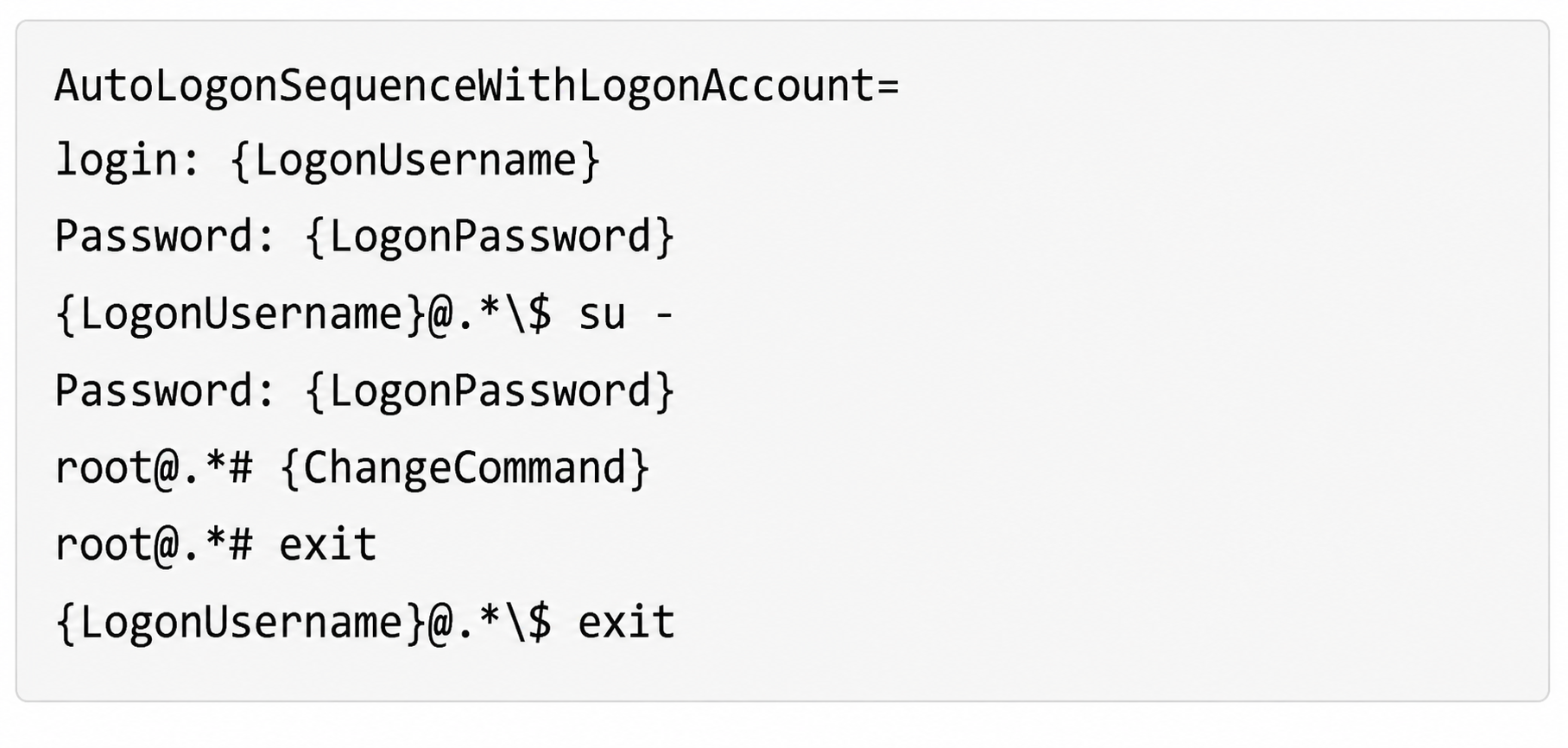 This parameter instructs the CPM to log in to the system as the logon account, enter the logon password, run the su - command to switch to the root user, enter the logon password again, run the change command to change the root password, exit the root session, and exit the logon session 1 .
The other options are not correct, as follows:
A. Log in to the system as root, then change root’s password. This option is not possible, because the root account cannot be used for direct logon. The logon account is associated with the root account to enable the CPM to access the system and change the password 1 .
B. Log in to the system as the logon account, then change root’s password. This option is not effective, because the logon account does not have the permission to change the root’s password. The logon account needs to elevate itself to the root user by using the su command before changing the password 1 .
D. None of these. This option is not valid, because there is a correct answer among the choices.
References :
1 : Logon Accounts for SSH and Telnet Connections
You want to generate a license capacity report.
Which tool accomplishes this?
Correct Answer: B
The license capacity report is a tool that provides information about the licensed user types and objects in the Vault. It enables users to see the maximum number of licenses for each user type or object, and the number of used licenses for each one. Only user types and objects that are limited by the license are displayed in this report. To generate a license capacity report, users need to use the PrivateArk Client, which is a graphical user interface that allows users to manage safes and their properties. Users can access the report from the Tools menu in the PrivateArk Client. References : Reporting License Usage , Manage the CyberArk License